Photography Guides·11 min read·April 15, 2025

HDR Real Estate Photography: Beginner to Pro Guide

If you're new to real estate photography or just starting to shoot brackets, this guide covers everything: why HDR matters, exactly how to shoot it, which camera settings to use, common beginner mistakes, and how to automate the editing so you can deliver same-day.

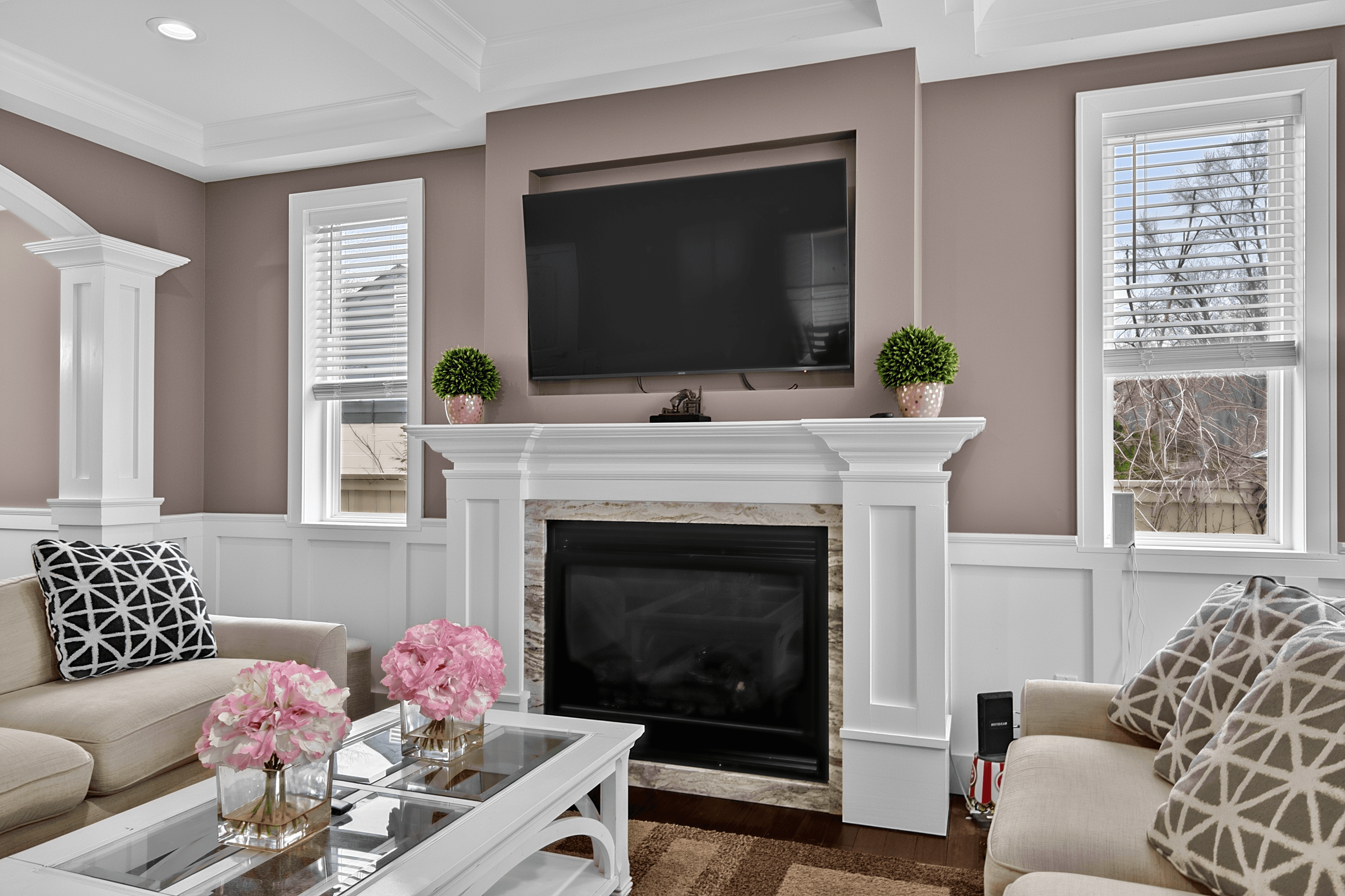
HDR real estate photography interior with balanced exposure

Why beginners struggle with real estate interiors

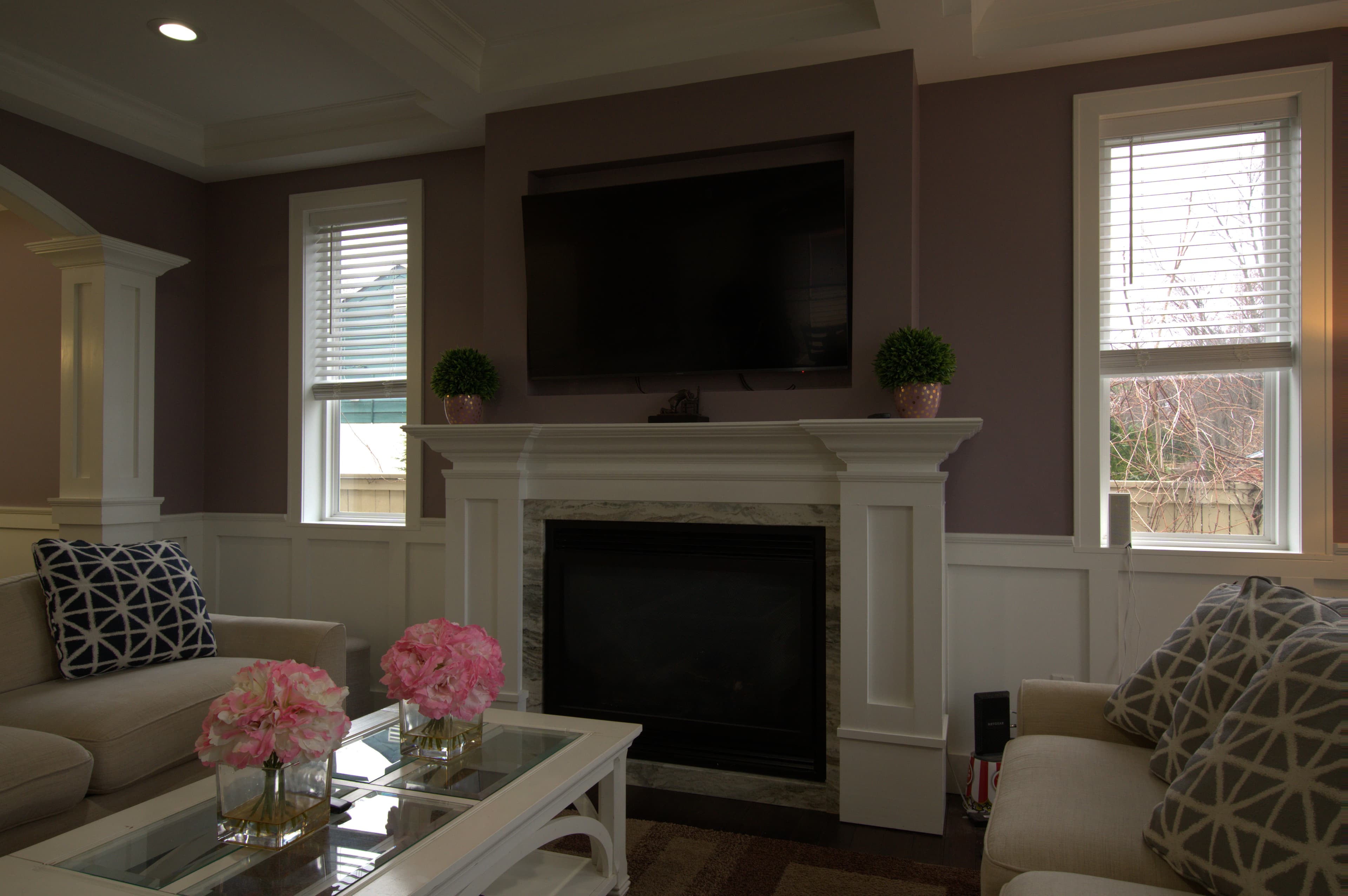
If you're just starting in real estate photography, you've probably run into this problem: you take a photo of a beautiful room and the windows blow out into pure white, or you expose for the windows and the room goes dark. You can't seem to get the room and the windows looking correct at the same time. This isn't a skill problem — it's a physics problem. The human eye adapts to different brightness levels almost instantly as you look around a room. Cameras cannot do this. A single camera exposure captures one light level, and real estate interiors often have a brightness range that exceeds what any single exposure can handle.

HDR photography is the solution. It's not an advanced technique reserved for experienced photographers — it's simply the process of capturing multiple exposures and combining them. Once you understand it, it becomes a natural part of every interior shoot, and the quality difference between HDR-merged images and single-exposure attempts is significant and immediately visible.

What you need to shoot HDR real estate photography

Camera equipment

Any DSLR or mirrorless camera with Auto Exposure Bracketing (AEB) capability works for HDR real estate photography. This includes virtually all cameras from entry-level DSLRs to professional full-frame systems. Check your camera's manual for how to enable AEB — it's typically found in the shooting settings or custom function menu.

For best results, a camera with good dynamic range at base ISO is preferable — this means modern Sony, Fuji, Nikon, and Canon mirrorless systems all perform excellently. Older DSLRs work too but may show more noise in the shadow recovery areas of high-contrast scenes.

Lens selection for interiors

Wide-angle lenses are standard for real estate interior photography. The goal is to show as much of each room as possible from a single angle to communicate space. Common choices:

  • Full-frame: 16mm, 17mm, 24mm — 17mm is the most common starting point
  • APS-C/crop sensor: 10mm, 11mm, 12mm — equivalent field of view
  • Micro four-thirds: 8mm, 9mm — equivalent field of view

Avoid extreme fisheye lenses that create obvious barrel distortion — they look amateurish in listing photos and require significant correction. A rectilinear ultra-wide (10-17mm on crop, 16-24mm on full frame) gives the wide coverage needed without fisheye distortion.

Tripod — non-negotiable

A tripod is required for HDR real estate photography without exception. The multiple exposures in your bracket set must be from exactly the same camera position for alignment and ghosting-free merging. Even slight hand-held movement between frames — which is inevitable when shooting three to seven consecutive exposures — creates ghosting that cannot be fully corrected. Any tripod that's stable enough to hold your camera without shifting between exposures works; you don't need an expensive tripod for this purpose.

Remote shutter release or self-timer

Pressing the shutter button by hand transmits vibration to the camera through the tripod. This is enough to create subtle blur in longer exposures. Use a wired remote, wireless remote, or the camera's built-in 2-second self-timer to trigger the bracket sequence without touching the camera.

Camera settings for HDR real estate photography

Here are the recommended settings for shooting HDR brackets for real estate interiors:

SettingRecommended valueWhy
ModeAperture Priority (Av/A) or ManualAE Bracketing varies shutter speed, not aperture — keeping depth of field consistent across frames
Aperturef/7.1 to f/10Maximum depth of field for sharp focus throughout the room
ISOBase ISO (100–400)Minimum noise — longer shutters are fine since you're on a tripod
AEB increment1.5 to 2 stopsAdequate tonal separation between frames for clean merging
Bracket count3 to 5 frames3 covers most scenes; 5 for high-contrast rooms with very bright windows
Drive modeContinuous highFires all brackets in sequence with minimal time between frames
Image stabilizationOFFIS systems can introduce subtle movement between frames when on tripod
FormatRAWContains more data than JPEG for better merge quality in shadows and highlights

Step-by-step: shooting your first HDR bracket set

  1. Set up your tripod at the ideal room position — typically from a corner or doorway angle that shows the most of the room while avoiding the widest lens distortion.
  2. Frame the shot so the primary window(s) are visible in frame — window pull depends on having windows in the bracket set to blend exterior detail through.
  3. Enable AEB in your camera settings. Set 3 or 5 frames at 2-stop increments. On most cameras this is: Menu → Shooting → AEB → ±2EV × 3 frames.
  4. Set drive mode to continuous high so all bracket frames fire in one shutter press.
  5. Use remote or self-timer — do not press the shutter button by hand.
  6. Check your base frame for correct exposure of the room interior. The base frame should show the room correctly exposed even if windows are somewhat overexposed — that detail will come from the underexposed frame.
  7. Fire the bracket and verify on the camera's histogram that the three (or five) frames have clearly separated exposure levels. The brightest frame should show window detail. The darkest frame should show room detail without blown-out windows.
  8. Move to the next angle and repeat. Don't change the AEB settings between rooms — keep them consistent for efficient submission.

How many brackets do you need per scene?

The right number of brackets depends on the dynamic range of the scene:

  • 3 brackets at -2, 0, +2 stops: Works for most residential interiors with moderate window brightness. The most efficient choice for high-volume shooting.
  • 5 brackets at -2, -1, 0, +1, +2 stops: Better for high-contrast scenes — rooms with large picture windows, bright sunlit exteriors visible through glass, or very dark rooms with small windows. Gives the merge algorithm more tonal data to work with.
  • 7 brackets at -3, -2, -1, 0, +1, +2, +3 stops: Reserved for extreme dynamic range situations like a dark basement with a bright walkout, or architectural photography where maximum tonal range is required.

For a standard residential real estate shoot, 3-bracket sets work well for most rooms. 5-bracket sets for the living room and primary bedroom — the rooms with the most viewing impact — produce noticeably better window pull quality without significantly slowing down the shoot.

Common HDR beginner mistakes and how to avoid them

Shooting brackets hand-held

This is the most common beginner mistake. Even excellent hand-held stabilization cannot eliminate the frame-to-frame variation that creates ghosting in HDR merges. Every bracket set must be shot from a tripod. If you're shooting hand-held for speed, switch to single-exposure editing — single exposure editing is an excellent option for scenes that don't have extreme dynamic range — but don't submit hand-held brackets for HDR merge.

Shooting at too high an ISO

HDR merge amplifies noise in the shadow areas of the darkest frames. Shooting at ISO 800 or higher when on a tripod produces noisy shadow areas that the merge algorithm has to work harder to clean up. On a tripod with remote shutter, there's no reason to shoot above ISO 400 for most interior situations. Use base ISO — even if the exposures are long (1/4 second or slower) — for clean results.

Using too small an AEB increment

A 1-stop AEB increment between frames means your bracket set covers a total range of only 2 stops (for 3 frames) or 4 stops (for 5 frames). For a scene with 12+ stops of dynamic range, this isn't enough separation to fully capture the tonal range. Use 1.5 or 2-stop increments to ensure your bracket set spans the full range of the scene.

Forgetting to turn off image stabilization on the tripod

Image stabilization systems use a gyroscope to detect and counteract camera movement. When the camera is stationary on a tripod, the IS system can detect its own micro-vibrations and create small oscillating movements between frames. The result is subtle misalignment between bracket frames that creates softness in the merged image. Turn IS off whenever shooting on a tripod.

Not turning on interior lights

Interior lights should be on for real estate photography in most situations. Warm interior lighting adds depth and makes rooms feel lived-in and inviting. It also improves HDR merge results by giving more ambient light data in the darker exposure frames. Turn on all lights in every room before shooting — overhead fixtures, lamps, under-cabinet lighting, and accent lights.

Shooting at the wrong height

Camera height significantly affects how room proportions read. For real estate interiors, shooting at approximately 4 to 5 feet (roughly chest height) produces the most natural, balanced perspective. Too low creates a floor-heavy image that makes ceilings look small. Too high creates a ceiling-heavy image that makes rooms feel narrow. Starting at chest height and adjusting based on the specific room's proportions is the right approach.

HDR for different room types

Kitchens

Kitchens often have the most complex lighting: overhead fixtures, under-cabinet LED strips, and windows above the sink or on adjacent walls. Shoot from the furthest corner angle to maximize coverage. 3 to 5 brackets work well for kitchens. Turn on all artificial lights including under-cabinet strips — they add warm fill that reads well in the HDR merge.

Living and dining rooms

These are the showcase rooms — the most important for listing impression. Use 5 brackets here for maximum window pull quality. If the room has a fireplace, capture it in frame and the AI merge will add the fireplace effect automatically. Large windows in these rooms benefit from the extra exposure range of 5-bracket sets.

Bedrooms

Bedrooms are typically easier to shoot — less complex lighting and often smaller windows. 3 brackets work well for most bedrooms. The primary bedroom deserves the same 5-bracket treatment as the main living areas. Secondary bedrooms can be efficiently shot with 3-bracket sets to speed up the shoot without sacrificing quality.

Bathrooms

Bathrooms present specific challenges: small windows, mixed lighting (often combining overhead incandescent or LED with natural light), and mirror reflections that can include the photographer. Position to avoid mirror reflections that would include the camera. Turn on all vanity lights. 3 brackets work well for most bathrooms; 5 for bathrooms with significant natural light from large windows.

Automating HDR editing with AI: from upload to delivered

Historically, the editing bottleneck of HDR real estate photography was the post-processing time. Importing brackets into Lightroom, running the HDR merge, correcting tone-mapping artifacts, adjusting the output, and exporting — this process runs 5 to 15 minutes per bracket set for a skilled editor. For a 25-room shoot, that's 2 to 6 hours of editing time.

AI HDR merge eliminates this entirely. The workflow becomes:

  • Download cards at home or on-site
  • Organize brackets by room (group files by sequence)
  • Upload to Visual Advantage Studio
  • Receive finished, merged images in under 30 minutes

The AI handles bracket alignment, ghost detection and removal, exposure blending, window pull, sky replacement (for any exterior brackets), TV screen mockup (if a TV is detected in the frame), and fireplace effect (if a fireplace with an unlit insert is visible). All of this is included at $0.59 per bracket set — no add-on charges for the extras.

For photographers building a business, this turnaround means offering same-day delivery is entirely feasible: shoot in the morning, upload at noon, deliver to the agent by mid-afternoon. Agents who need fast delivery for listing launches will pay a premium for photographers who can consistently deliver on this timeline.

Ready to automate your HDR workflow? Visual Advantage Studio's HDR Merge service processes brackets in under 30 minutes at $0.59 per set. Sky replacement, TV screen mockup, and fireplace effect are included free with every HDR order.

Frequently asked questions

How many brackets do I need for real estate HDR?

3 brackets (at -2, 0, +2 stops) cover most interior scenes. 5 brackets (-2, -1, 0, +1, +2) give the AI more data to work with and produce better results in high-contrast scenes. 7 brackets are useful for extreme dynamic range situations like dark rooms with very bright windows.

Do I need a tripod for HDR real estate photography?

Yes, a tripod is required for HDR real estate photography. The multiple exposures must be from exactly the same camera position for alignment and ghost-free merging. Hand-held brackets produce ghosting artifacts that cannot be fully corrected in post-processing.

Can I mix RAW and JPEG in the same bracket set?

No. All frames in a bracket set should be the same format — either all RAW or all JPEG. Mixing formats introduces inconsistency that can affect merge quality. RAW is strongly preferred for bracket sets that will go through HDR merge.

What if I accidentally missed a bracket frame?

If your bracket set has fewer frames than intended (e.g., you got 2 frames of a 3-frame set because continuous drive stopped early), submit what you have and note in the job comments that it's an incomplete bracket. The AI can work with 2 frames but the results are better with the full set. For critical shots, reshoot if possible.

Is HDR real estate photography worth the time on every shoot?

For any shot that includes windows, yes — the quality difference between a properly HDR-merged interior and a single-exposure attempt is significant and immediately visible to agents and buyers. For exterior shots without extreme dynamic range, single-exposure editing can be sufficient. The general rule: bracket everything, then let the editing service sort out which images benefit most from the merge.

Related Articles

Automate your HDR workflow

Upload brackets, get back professionally merged images in under 30 minutes. Sky replacement, TV screen, and fireplace included. $0.59/set, no subscription.

Start Your First Order — $0.59/set